
Unauthorized authenticated access
An unauthenticated attacker rattling your login page is easy to spot. An attacker who signs in correctly, from a plausible device, is not - they look exactly like the person whose account it is.

Breach intelligence platform · one search across every dataset
Every dataset an attacker already has, in one search box - so you find out what is exposed before somebody else does.
Leaked.Domains is a Joe Black Security service with its own platform at leaked.domains.
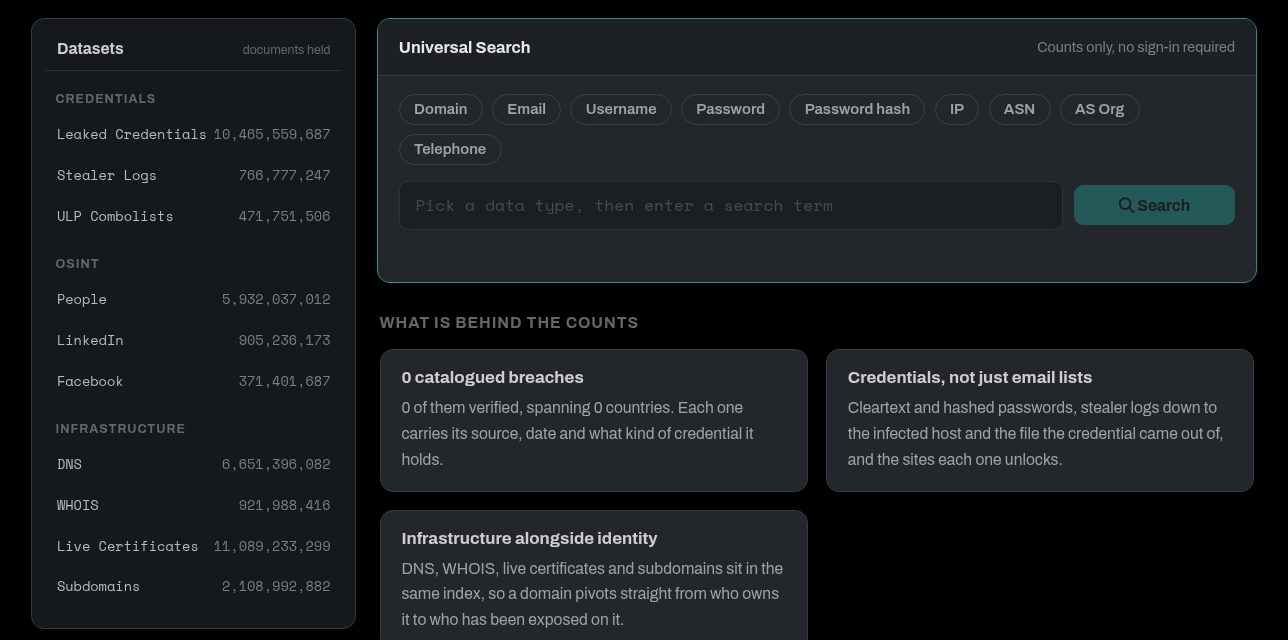
Records indexed
Leaked credentials
People records
Hashes mapped to cleartext
Approximate figures; the live index grows as new data lands. Counted 2026-11-07.
An intruder holding valid credentials is not breaking in. They are logging in - and from the inside, their session is indistinguishable from an ordinary employee's. That is why credential-based intrusion remains the most common way organizations are compromised, and the hardest kind to notice.
Leaked.Domains aggregates credential data from public breaches, combolists, infostealer logs and criminal marketplaces, then matches it against the domains you own. You learn which accounts appear, in which breach, and how recently.
The direct hits matter, but they are rarely the most interesting part. Historic passwords reveal how your people build them - and people are predictable. A password from a 2019 breach with an incremented digit on the end is very often the password protecting something of yours today. Corporate addresses turning up on unrelated consumer services tell you where else that password has been typed.
We report exposure at the organizational level, and can monitor continuously so that new leaks reach you as they surface rather than months later.
An unauthenticated attacker rattling your login page is easy to spot. An attacker who signs in correctly, from a plausible device, is not - they look exactly like the person whose account it is.
Automated replay of leaked username and password pairs against every login surface you expose. It costs the attacker almost nothing, so it never stops.
Even when a leaked password no longer works, it exposes the scheme behind it. Season, year, company name, incremented digit - the pattern usually holds.
Infostealer logs trade in live session cookies, not just passwords. A stolen session walks straight past multi-factor authentication because the authentication already happened.
Corporate addresses used to register on unrelated services. Each one is another place that password has been typed, and another breach waiting to include you.
Your suppliers hold access to your systems and frequently a fraction of your security budget. Their leaked credentials are, functionally, your leaked credentials.
Screens from the public side of Leaked.Domains. Click any image to enlarge.
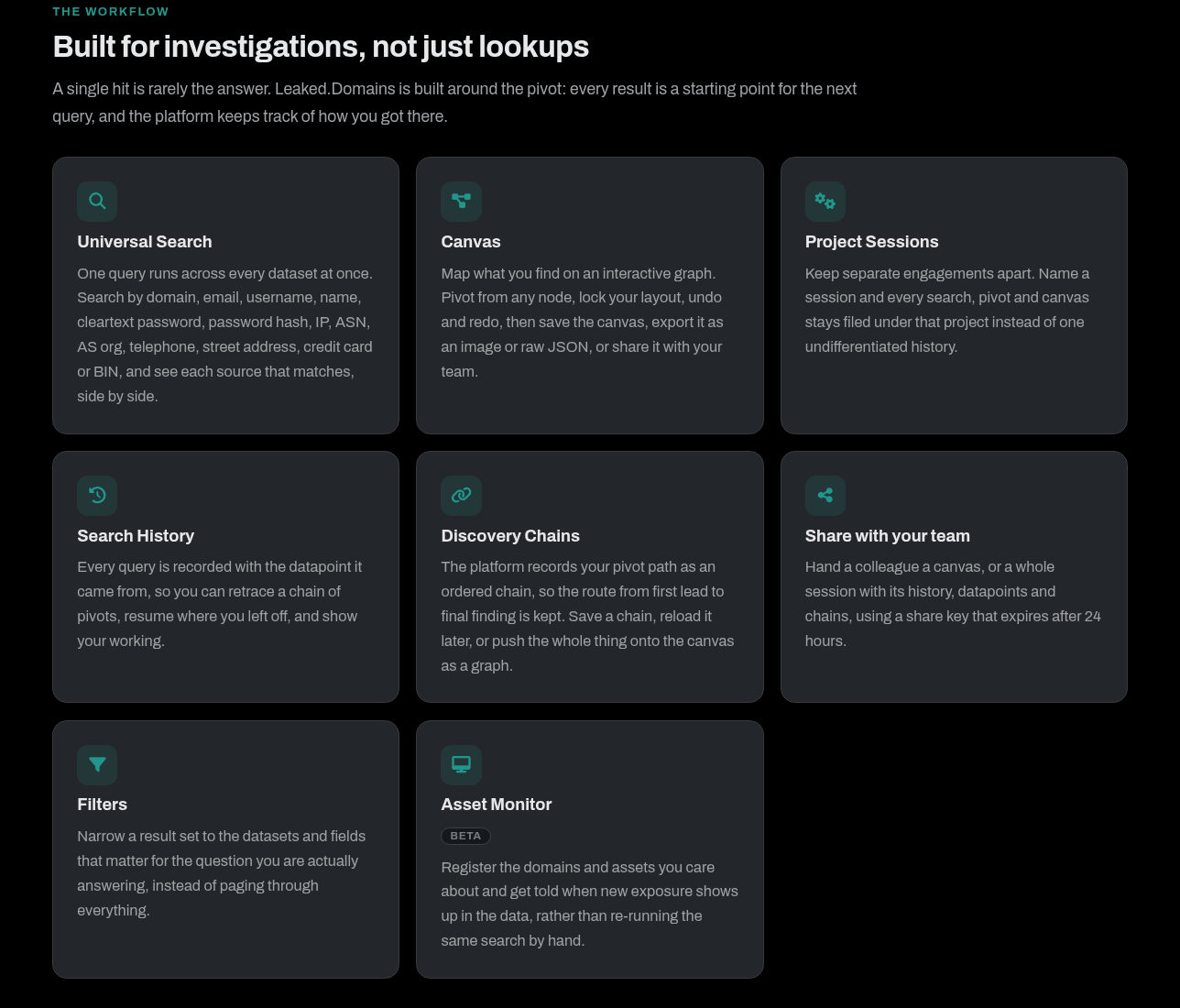
A single hit is rarely the answer. Leaked.Domains is built around the pivot: every result is a starting point for the next query, and the platform keeps track of how you got there.
One query runs across every dataset at once. Search by domain, email, username, name, password, hash, IP, ASN, telephone, address, credit card or BIN, and see every matching source side by side.
Map what you find on an interactive graph. Pivot from any node, undo and redo, then save the canvas, export it as an image or JSON, or share it with your team.
Keep separate engagements apart. Name a session and every search, pivot and canvas stays filed under that project.
Every query is recorded with the datapoint it came from, so you can retrace a chain of pivots and show your working.
The platform records your pivot path as an ordered chain, from first lead to final finding. Save it, reload it, or push it onto the canvas as a graph.
Hand a colleague a canvas, or a whole session with its history, datapoints and chains, using a share key that expires after 24 hours.
Narrow a result set to the datasets and fields that matter for the question you are actually answering.
Register the domains, addresses and assets you care about. They are re-checked every three days against every dataset, and an email goes out when something new lands - no re-running the same search by hand.
Ask the exact question on one line: user:j.smith has:password seen:>2024 -src:whois. Combine fields, exclude sources, filter by year, then pivot the answer into counts or a top ten. A query can be saved and watched for new results.
Add a domain, IP, ASN or certificate fingerprint and it expands across certificate transparency, passive DNS and subdomains. Each entity is scored by how many independent sources agree on it, then confirmed or disputed in a review queue.
One click blurs emails, passwords, hashes, telephone numbers, IPs and addresses across the whole interface, so a finding can be presented or screen-shared without exposing the data behind it.
Breach data, stealer logs, WHOIS, DNS, certificates and people data in a single searchable platform, so you can pivot from a domain, an email, a username or a hash across every dataset at once.
Compromised credentials from breaches and combolists: emails, usernames, passwords and the domains they belong to.
SSL/TLS certificates from certificate transparency, useful for uncovering hosts a domain did not advertise.
A, AAAA, MX and NS records, for mapping how an organisation's estate is actually wired together.
Personal records used to attach a real identity to an address, a handle or an account.
Indexed subdomains for passive enumeration of an organisation's attack surface.
MD5, SHA-1, SHA-256, SHA-512, NTLM and LANMAN hashes mapped to cleartext, for assessing the real strength of recovered passwords.
LinkedIn and Facebook profile data for tying people to organisations and to each other.
Domain registration records including registrant email, organisation, telephone and address.
URL, login and password lines compiled from infostealer output, with no host details attached.
Data taken directly off infected machines: credentials, cookies, system profiles and wallets.
Stealer logs are the freshest credential source there is, because they come off live infected machines rather than an old breach dump. Session cookies in particular can defeat multi-factor authentication outright, which is why we index them as their own searchable category.
Open any infected host and work through everything taken from it: saved logins, cookies, cards, wallets and system logs, alongside the machine's directory tree, other logs from the same host, and the desktop screenshot the stealer captured.
ULP combolists are kept apart from stealer logs. A ULP (URL, login, password) line is what is left of an infostealer log once the machine has been stripped away, so you can see a credential for your domain without it being mixed into breach data or tied to a host that may not be yours.
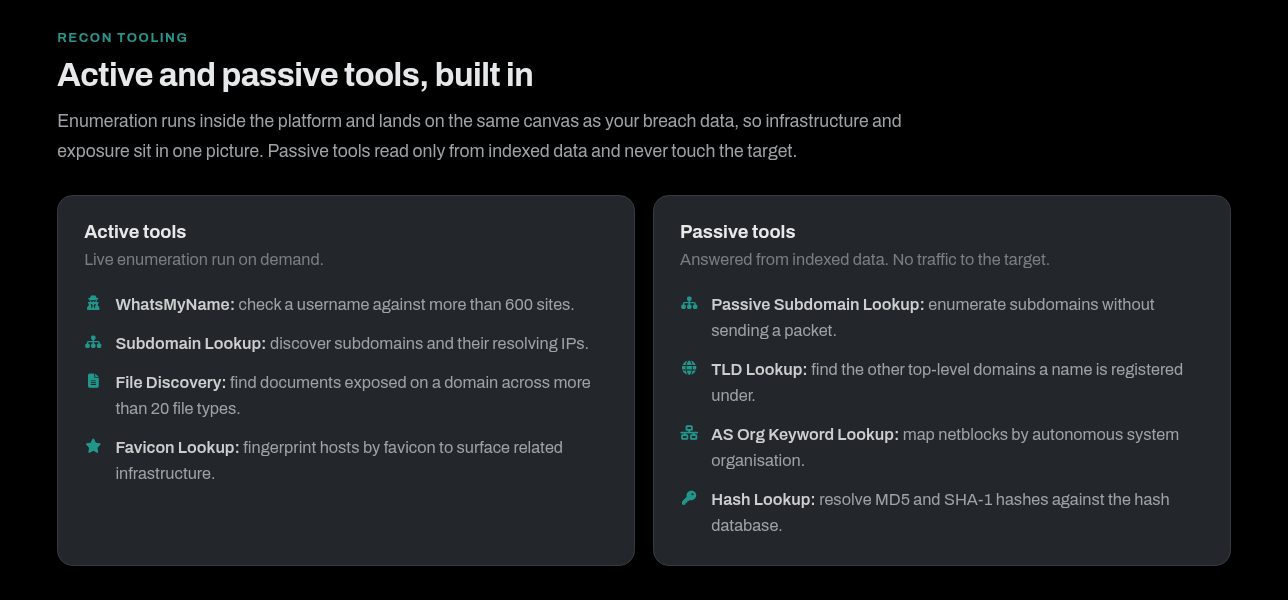
Enumeration runs inside the platform and lands on the same canvas as your breach data, so infrastructure and exposure sit in one picture. Passive tools read only from indexed data and never touch the target.
Research is only useful once someone else can act on it. Export it, automate it, or hand a client a report with your own name on it.
Client-ready reports of what you found, carrying your own branding rather than ours: your company name, contact details, accent colour and logos on one of five cover designs, edited against a live preview of the first page. You always edit your own template, and past reports stay available to download again.
Pull any result set out as CSV for your own tooling, and re-download previous exports from your account.
Query the same index from your own pipeline: search, per-domain counts, dataset metadata, password checks and report generation, documented in a live Swagger UI. API credits are a separate pool from your web searches.
Check the domain you are looking at without leaving the tab, and search any indicator on the page. Chrome and Firefox - more below.
Accounts are vetted, TOTP two-factor authentication is required on the higher tiers, and verification is brute-force protected, so access to sensitive data stays controlled.
Verify ownership of the domains you are responsible for to unlock deeper access to the records that concern them. Cleartext passwords are limited to the domains you have proven you own.
Paste or select anything - a defanged URL from a threat report, an address in a phishing message, an IP in a log, a hash in a ticket. The extension works out what it is, picks the right datapoint and opens the search in your own signed-in session. It shows record counts, never records: every result stays on Leaked.Domains behind your login.
Eighteen kinds of indicator recognised automatically. Defanged text is refanged, and a URL is reduced to its registrable domain using the Public Suffix List. A value with no datapoint of its own - a person's name, a card number - is never searched on a guess; you pick the datapoint first.
The popup, a right-click on any selection or link, a keyboard shortcut, or ld in the address bar - ld example.com, ld qc domain:x has:password, ld inv 8.8.8.8. In Chrome's side panel or Firefox's sidebar it stays docked beside the page.
Pull every address, domain, IP, ASN and hash out of the page you are reading, or highlight them where they sit. Drop a whole report or log into the Workbench and the indicators come out refanged and de-duplicated, ready to filter, bulk-open, copy defanged, watch, or export as TXT, CSV, JSON or Query Console queries.
Every common DNS record type with reverse lookups, and a plain-language read-out of SPF, DMARC, DKIM, MTA-STS, TLS-RPT and BIMI. Certificate transparency history, which doubles as a free subdomain list. Around 260 typo-squat and spoof variants of a domain in 13 categories, checked for which are registered and which accept mail.
Paste email headers or drop an .eml for authentication results, the route the message took and the real sending IP. Hash text or a file up to 512 MB, or identify an unknown hash and get its hashcat mode. Twenty-three encoders and decoders that chain together, flagging Cyrillic look-alikes, mixed scripts, zero-width and bidi characters. These three run entirely in your browser.
Searches run on the site's own pages in a real tab, so your normal login applies and the extension never reads the cookie. If you are signed out the search waits on the login page - through two-factor and device confirmation - and carries on once you are in. The token used for counts is kept on that device only, sent only to leaked.domains, and there is no password form in the extension at all.
Send us the domains you own and we will tell you what is exposed. Quickly, and before somebody else makes it their business.