
Structured findings
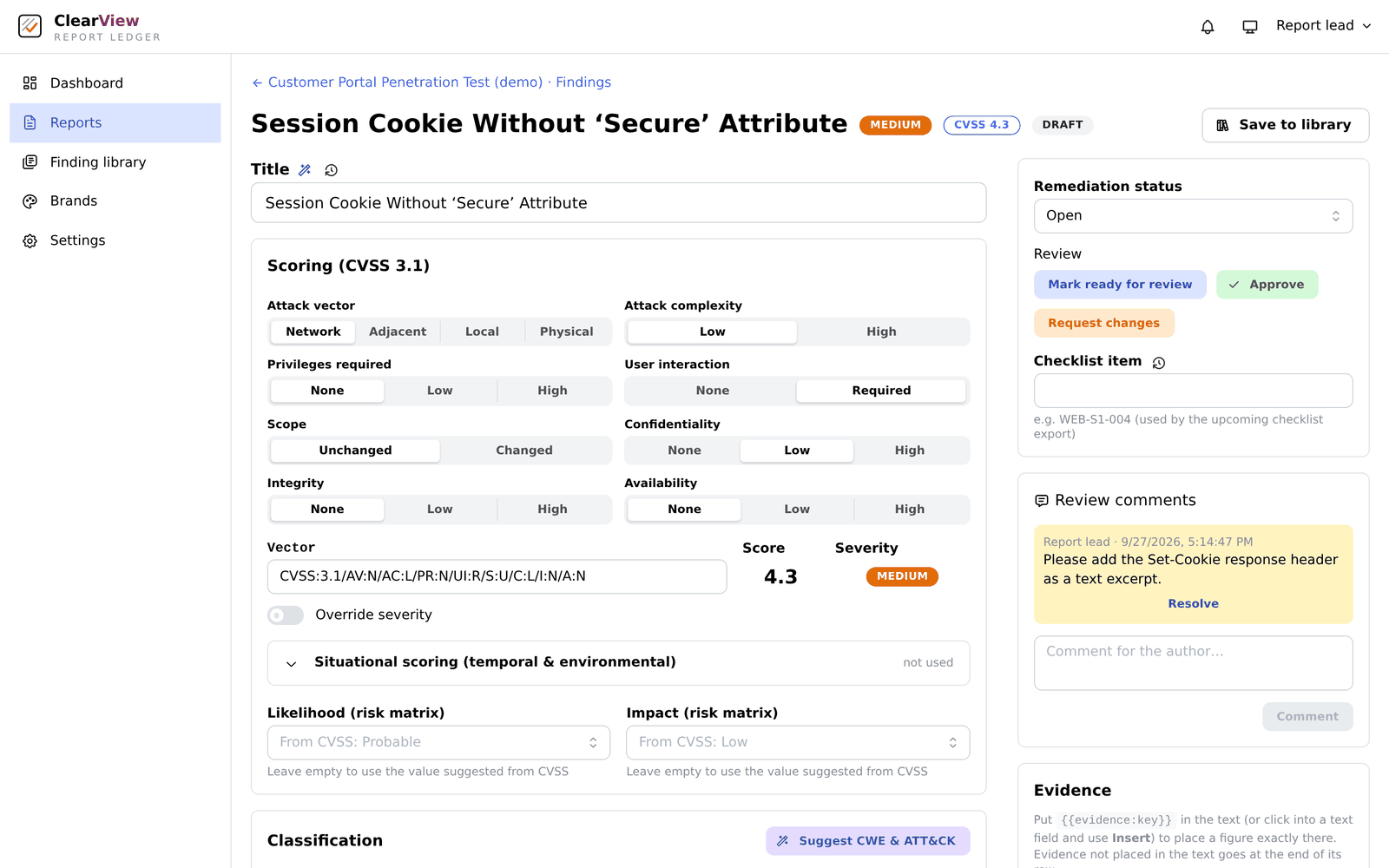
Every finding carries a CVSS 3.1 vector, a CWE and MITRE ATT&CK references, plus a likelihood and impact rating - so reports read consistently whoever wrote them. Each text field keeps its own history, with a diff and a restore.

Live access to your reports · client portal · reviewed, signed, tracked
Your penetration test report, live in a secure portal - read it, comment on it and track the fixes as the work happens.
A person signs off every report
Compliance frameworks mapped
Digitally signed PDFs
Log of every change and download
A report that arrives as an email attachment is out of date the moment it is sent. Questions go back and forth in separate threads, fixes are tracked in a spreadsheet nobody owns, and nobody can say which copy is the final one.
ClearView keeps all of it in one place. Every published version sits in your organisation's portal, newest first, with the supporting documents we share and a checksum so you can verify that a download is exactly the file we issued.
You read the report in the browser and highlight any passage to leave a note. It is tied to that page and quote of that exact version, and our team accepts it, resolves it or rejects it with a reason - you see the answer as it is given.
Behind the portal is the platform our testers work in: structured findings, evidence capture, scanner importers and a human review step on every report before it is signed and published.
Real screens from the portal, shown with demo data. Click any image to enlarge.
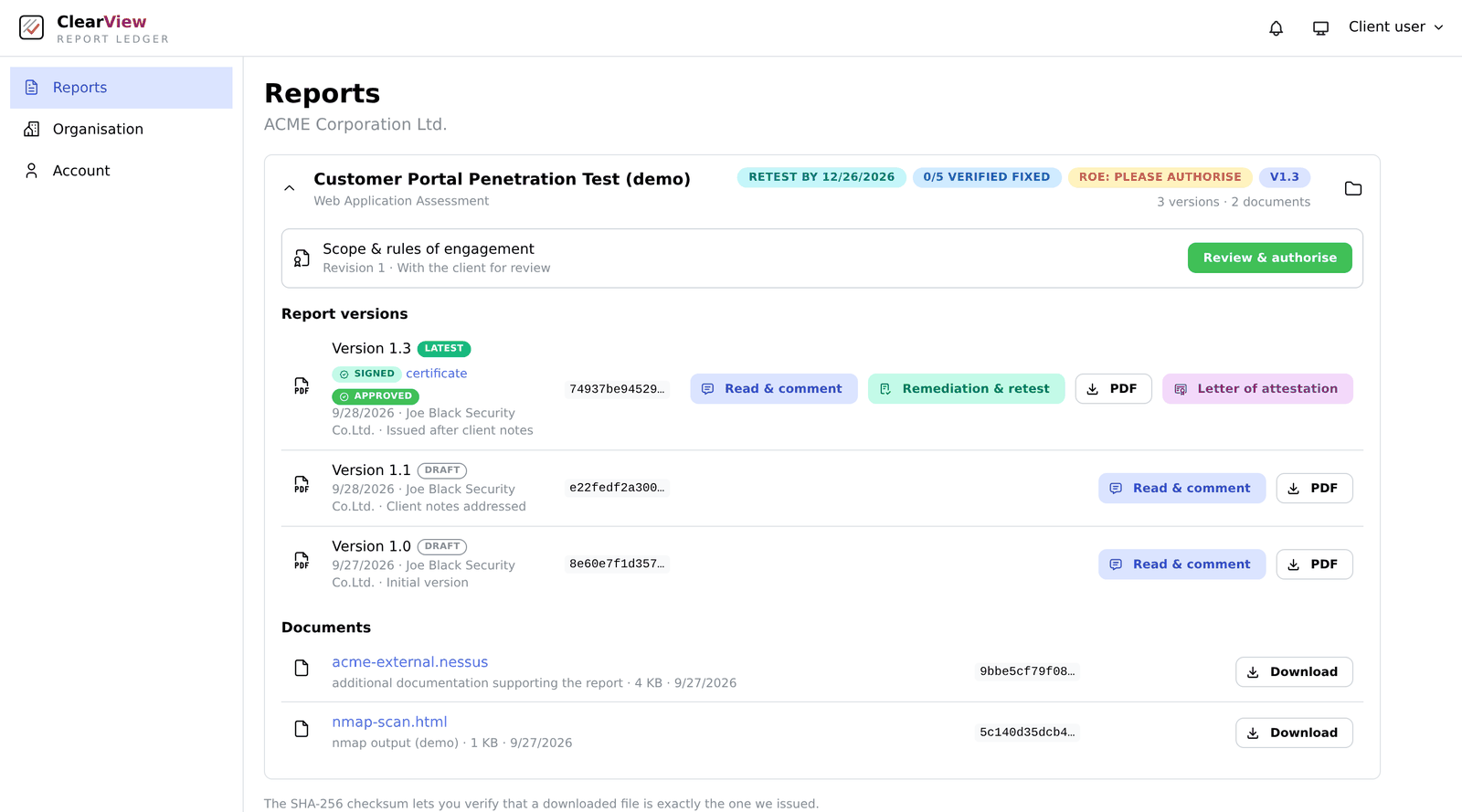
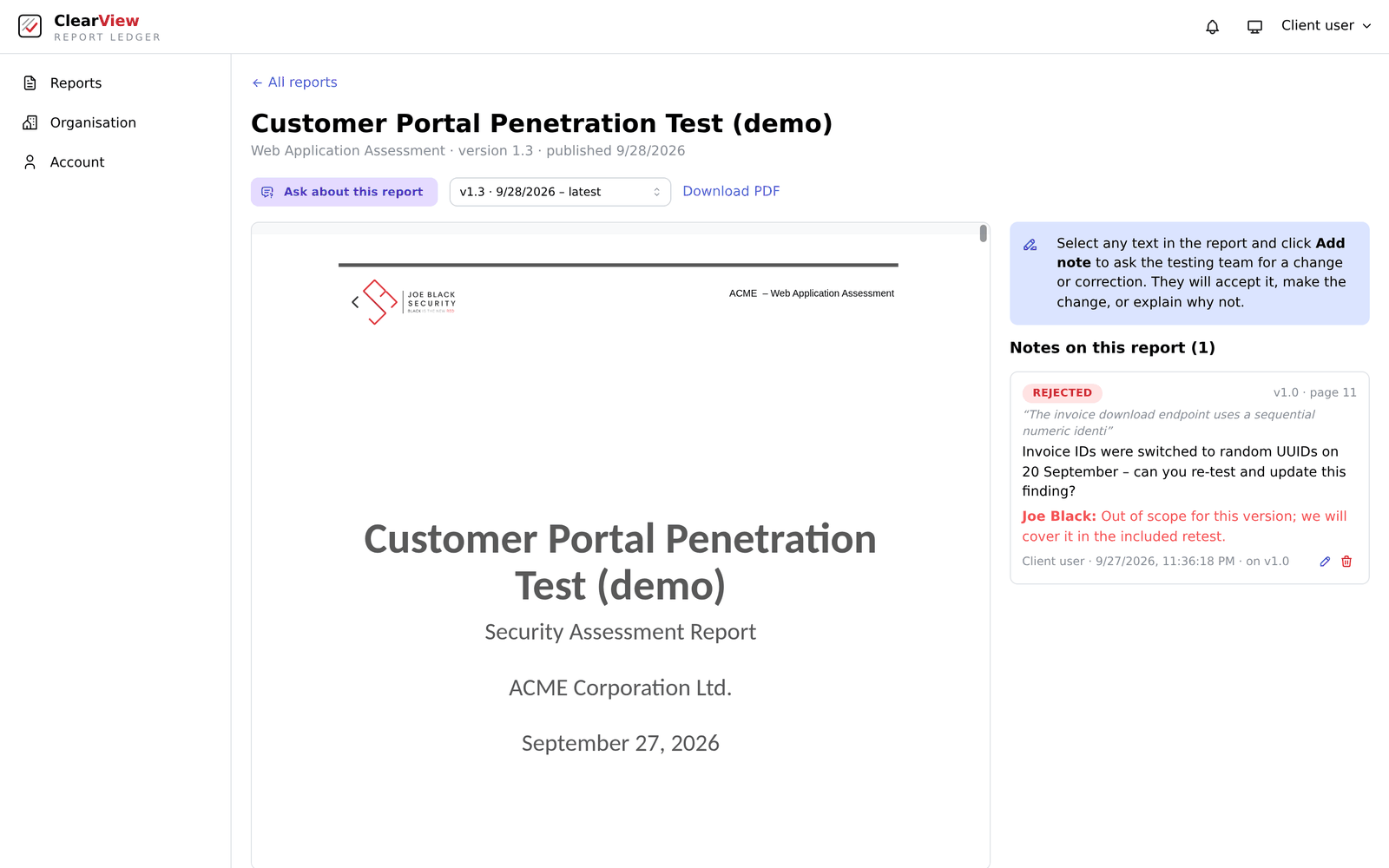
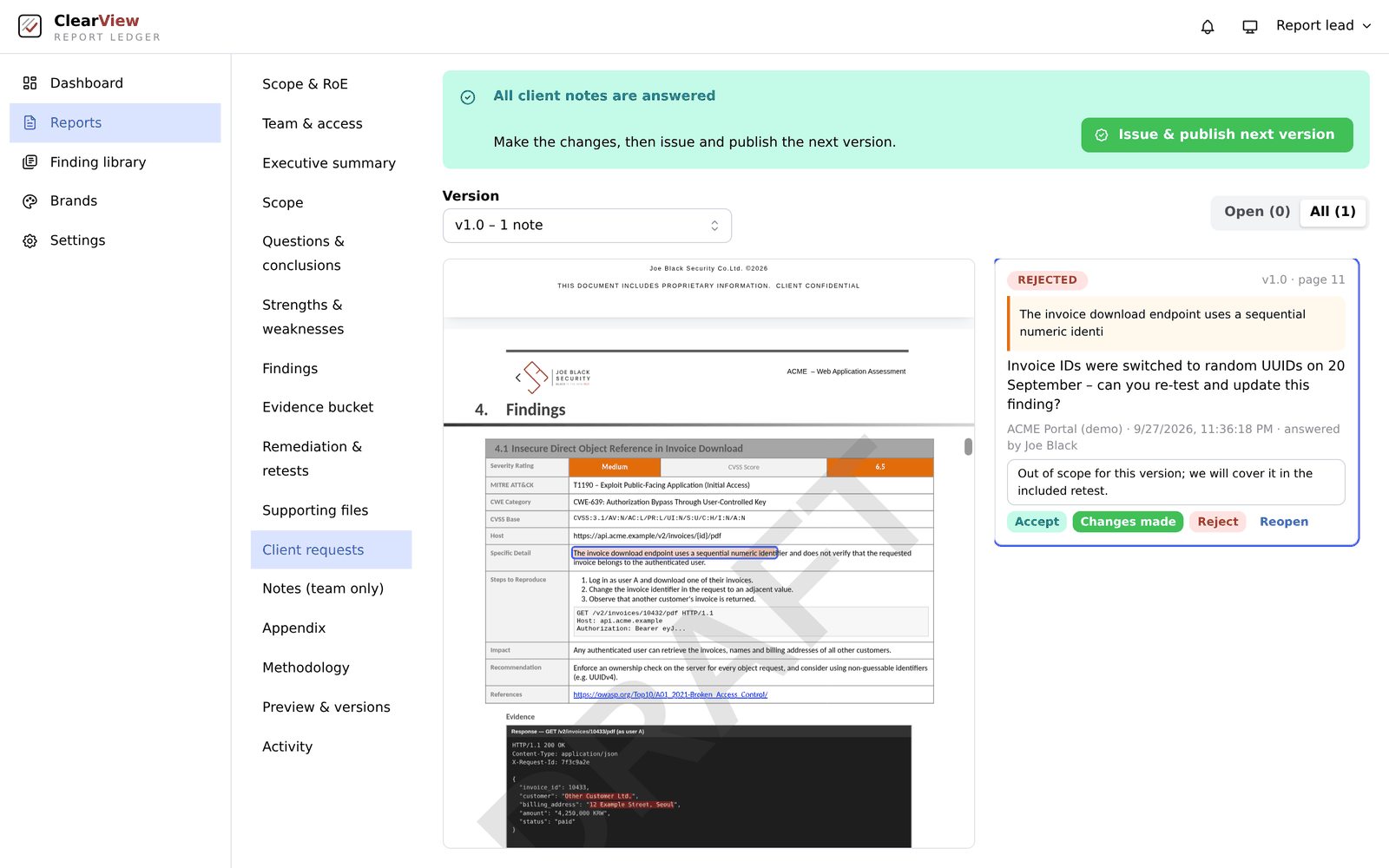
Reports open in the browser. Highlight text and add a note; testers accept, resolve or reject it with a reason and you are notified.
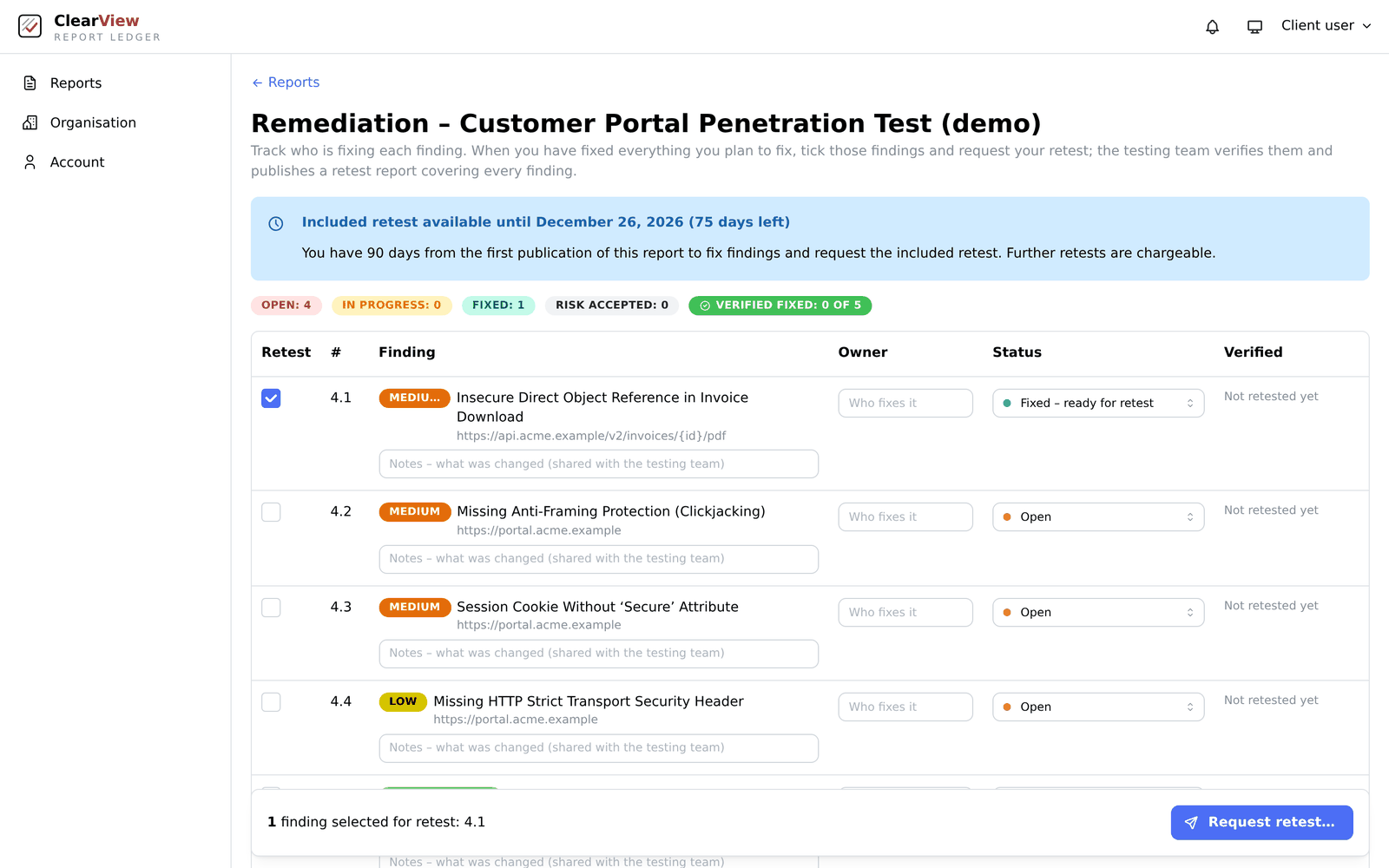
Owners, due dates and status for every finding. Within the agreed window you request the included retest, and verified results flow back into your tracker.
Approve the final version and generate a letter of attestation for your customers or auditors: scope, counts and verified fixes, never the finding details.
Agreed and e-signed before testing starts: targets, hours, emergency contacts and deconfliction. The signed PDF is the authorisation record.
Every published version in one folder, newest first, plus the supporting documents we choose to share. Notifications carry only a title and a link.
Five cover designs, each carrying our branding. Choose one for your whole organisation and published reports are re-generated with it before you download - every other page stays exactly as it was issued.
Where your own AI policy allows it, ask questions about the report you are reading and get answers drawn from that published version alone.
Each issued PDF is digitally signed, and a download certificate and SHA-256 checksum let you verify it.
ClearView is the platform our testers work in, not a template they fill in at the end. Evidence lands in the report while the testing happens, every finding has the same shape, and the mapping and charts your stakeholders need are generated rather than assembled by hand.
Every finding carries a CVSS 3.1 vector, a CWE and MITRE ATT&CK references, plus a likelihood and impact rating - so reports read consistently whoever wrote them. Each text field keeps its own history, with a diff and a restore.
A browser extension to snip, crop, box and black out a screenshot and send it straight to a finding, plus a command-line tool and a Burp extension. A screenshot sits exactly where the text refers to it, rather than in an appendix nobody reads.
Nessus, Nmap, Burp and OpenVAS output is imported, de-duplicated against what is already there, and reviewed finding by finding before any of it reaches your report. A scanner never writes to your report on its own.
Only the frameworks you actually need are switched on, findings map from their CWE or by suggestion, and an appendix links every control back to the findings that touch it.
A likelihood and impact heatmap, findings by category, the most affected hosts, ATT&CK coverage and retest progress - each one switchable per report, so an executive summary says what that engagement actually found.
Reports keep Word-template fidelity, and earlier reports written in Word can be imported into the platform and published to your portal alongside the new ones - keeping the cover of the original template.
Review is part of the workflow, whether a finding was written by hand, imported from a scanner or drafted with a suggestion. Testers cannot approve their own findings; only a reviewer or the report lead can approve one or send it back, and a read-only reviewer role means the person judging the text is not the person editing it. The full trail of who changed, approved or signed what is kept.
The tester marks a finding finished.
A second person approves, or requests changes with comments.
Only a report lead marks it final.
Notes, approval and a signed version in the portal.
You review and sign; we countersign.
Evidence and scan results flow in.
Findings are written, then approved by a second person.
The signed PDF is published to your portal.
You track the fixes, we verify them.
Clients sign in to see only their own organisation's published reports, with two-factor login and login rate limiting.
Your data stays on infrastructure we control, with encrypted backups that are verified by restore, an audit log of changes, downloads, sign-ins and approvals, and render workers that have no internet access at all.
AI is a supporting tool, never the author. Each client sets their own policy - disabled, local models only, anonymised cloud or full cloud - and once you have set it, not even an administrator can override it. Every request is logged.

We will walk you through a live report, from imported scan to signed PDF to client portal.